
Personal Access Tokens
Personal Access Tokens (PATs) allow you to securely authenticate with the Ennote CLI directly without needing an interactive browser session.
Managing Tokens
link
Personal Access Tokens provide programmatic access to your Ennote account. They should be treated with the same level of security as your passwords.
1
Log into the Ennote web application.
2
Open your User Settings or click on your profile icon.
3
Navigate to the Security section.
4
Select Personal Access Tokens.
5
Click the Generate New Token button to configure and create your token.
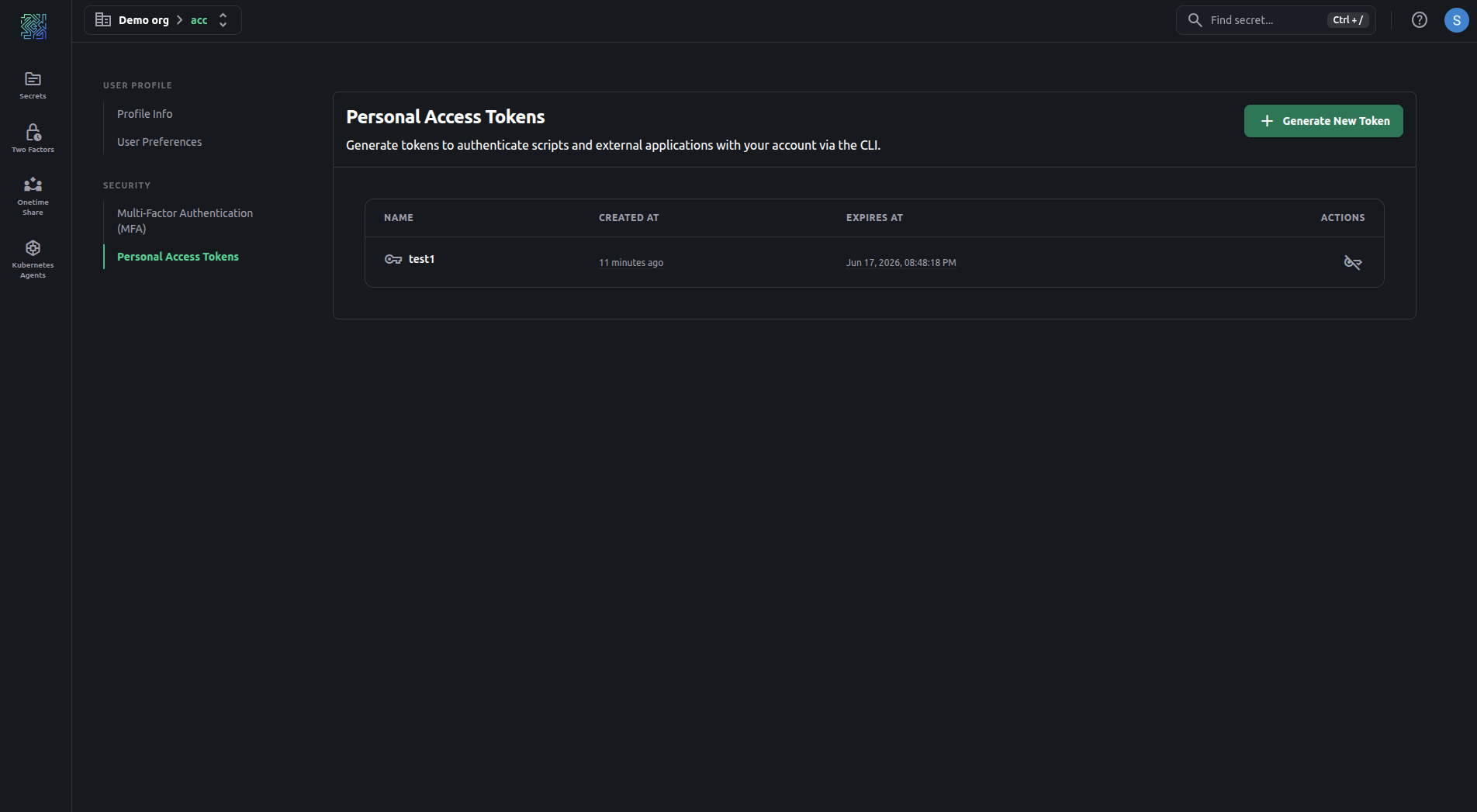
Key details regarding Personal Access Tokens:
- Token Limits:Users can generate and manage up to 10 active Personal Access Tokens at any given time.
- Configurable Expiration:To enforce security best practices, tokens must have a definitive lifespan. When creating a token, you can select an expiration period of 1 hour, 8 hours, 1 day, 7 days, 14 days, or a maximum of 30 days.
- Revocation:Tokens can be revoked immediately from the dashboard at any time if they are no longer needed or if you suspect a compromise.
Need Help?
link
If you encounter any issues or have questions, don’t hesitate to contact support. Our team is here to assist you with any challenges you might face.
© 2026 Ennote.io. All Rights Reserved.